is_page() – Checks if the page is currently displayed
Estimated reading time: 2 minutes
Category: WordPress
Checks if the page is currently displayed.
is_page( $page )$page – (integer|string|array) – page ID, label or title, or multiple ID, label and title values as an array
Examples of Usage
Specifying a page ID:
if ( is_page( 3 ) ) {
    echo 'You are on the page with ID 3';
}
Specifying the page title (case-sensitive):
if ( is_page( 'About' ) ) {
    echo 'You are viewing the page titled "About"';
}
Using an array of values:
if ( is_page( [3, 'About', 'our-projects', 72] ) ) {
    echo 'You are viewing the page titled "About", or a page with ID 3 or 72, or the one with the slug "our-projects"';
}
You can use is_page() inside the wp_enqueue_scripts action to conditionally load styles or scripts only on certain pages, which helps optimize performance by not loading unnecessary files site-wide.
function my_custom_styles() {
    if ( is_page( 3 ) ) {
        wp_enqueue_style( 'custom-style', get_template_directory_uri() . '/css/custom-style.css' );
    }
}
add_action( 'wp_enqueue_scripts', 'my_custom_styles' );
Usage inside a loop
Disallowed. Yes, meaning this conditional tag will not work inside a loop. That said, you can:
- use before the loop
- use it after the loop, but only after the wp_reset_query() function.
Returning true on the main page
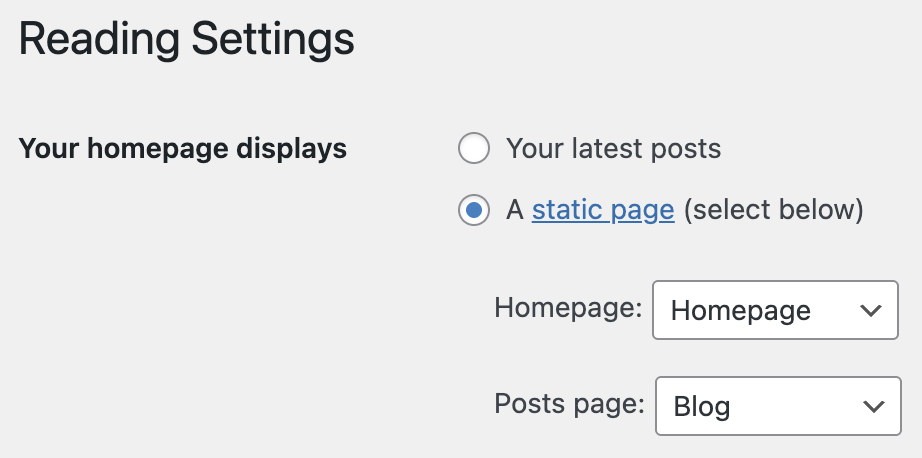
is_page() is able to return true on the main page of the site, but only if a static page is selected in the settings for displaying on the main page, that is: